

Watermarks are applied during the optimization process and cached. There’s no
performance penalty after the first request.
Configuration
Access watermarking settings in Optimizer → Settings → Watermark images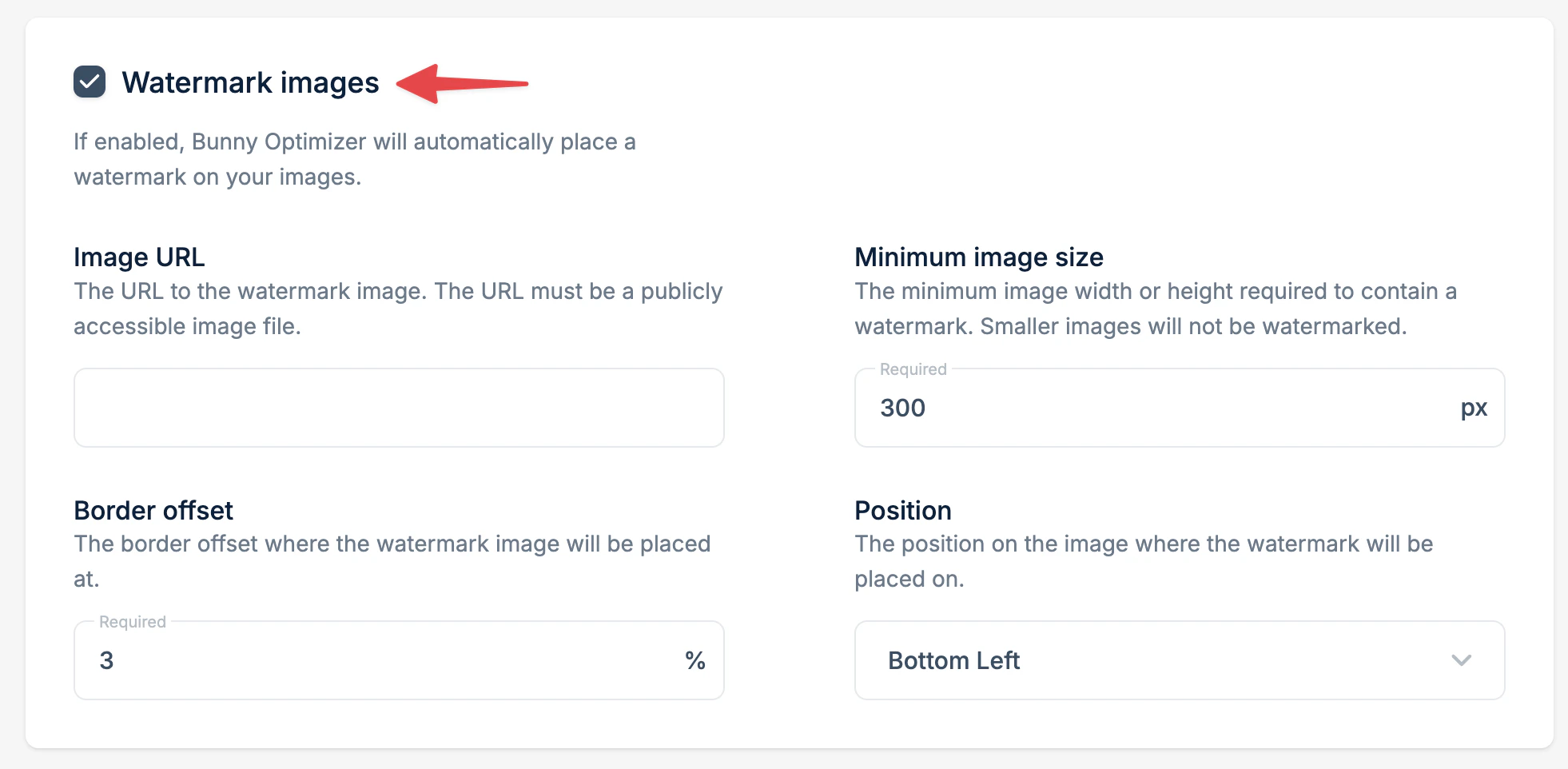
Watermark image URL
The publicly accessible URL to your watermark PNG (transparency supported). Best practices:- Use PNG format with transparency
- Design at 2x resolution for sharp display
- Keep file size under 100KB
- Test on both light and dark images
Minimum image size
Only images with width OR height greater than this value will be watermarked (in pixels). Example: Setting this to 800px prevents watermarks on small thumbnails while protecting larger downloads.Position
Choose from a few different placement options:- Bottom Right
- Bottom Left
- Top Right
- Top Left
- Center
- Center Stretched